
What This Post Covers
This project turns 3D-printed parts into a functional forklift using the CyberBrick kit from MakerWorld. The official instructions are thorough, so rather than repeat them, this post collects the tips I wish I'd had the first time through: fitting the gearbox, choosing tread material, wiring the motors, and picking the right servo. A separate controller build completes the project.
To follow along, download and print the CyberBrick Official Forklift and grab its instructions from the same page.
Helpful Tips From This Build
Give Super Glue Room to Dry
Super glue can make a mess. Protect the work surface with newspaper or a magazine, and let glued parts sit for about 30 minutes before continuing.
Choose Flexible Treads
I printed the tank treads in Bambu Lab AMS TPU 68D. It was probably too stiff and made the forklift drive roughly. My daughter, who did most of the driving, switched to the rubber wheels included in the kit, which were easier to control. If you want printed treads, a softer 90A TPU may work better.
Follow the Fastener Steps
Some bolts may not appear to hold anything together. In this kit, a bolt and magnet can secure an access cover, so install each fastener when the instructions call for it.
Check the Gearbox Fit
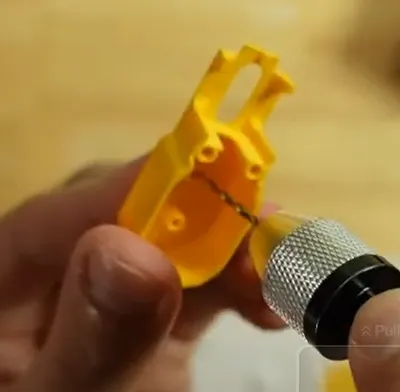
The metal shafts didn't fit easily into the gearbox holes, so I opened them up with an M2.5 drill bit in a pin vise. I drilled all the way through, which was fine here because the surrounding parts block the shaft from walking out. On other builds that may not be the case, so stop short of breaking through the far side if you can.
Lubricate the Gears
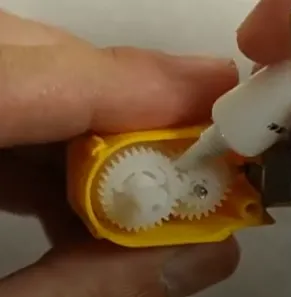
Use the supplied grease on the gearbox gears before closing it up.
Connect the Motors to the Opposite Side
Plug each wheel motor into the receiver module on the opposite side of the vehicle: left motor to right plug, and right motor to left plug.
Use the 360-Degree Servo for the Lift
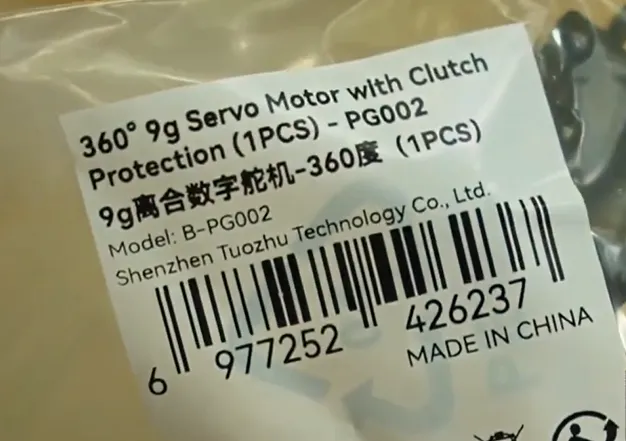
The CyberBrick kit includes different servo types. Use the 360-degree servo for the lift.
Final Thoughts
The detailed instructions and carefully designed forklift make this a great introduction to combining 3D printing with hardware. I've used hardware in printed projects for more than eight years and still learned something from the magnetic access cover.
I hope these notes plus the CyberBrick instructions help your build go a bit more smoothly.
Next up: Build a controller to bring the forklift to life.