
I've been involved in 3D printing for nearly a decade, which naturally includes years of fixing and troubleshooting various 3D printers. Most of my 3D prints have been practical; my kids and I have a knack for breaking things, and printing replacements or repairs is an everyday affair.
When I decided to purchase the Bambu Lab H2D from Micro Center, I couldn't find many real-world reviews. Despite this, I wanted to explore the capabilities this 3D printer promised, and after using it almost daily for two months, I'm ready to share my honest review with both new and seasoned 3D printing enthusiasts. This review reflects my perspective as someone who treats 3D printers like any other essential tool in their workshop.
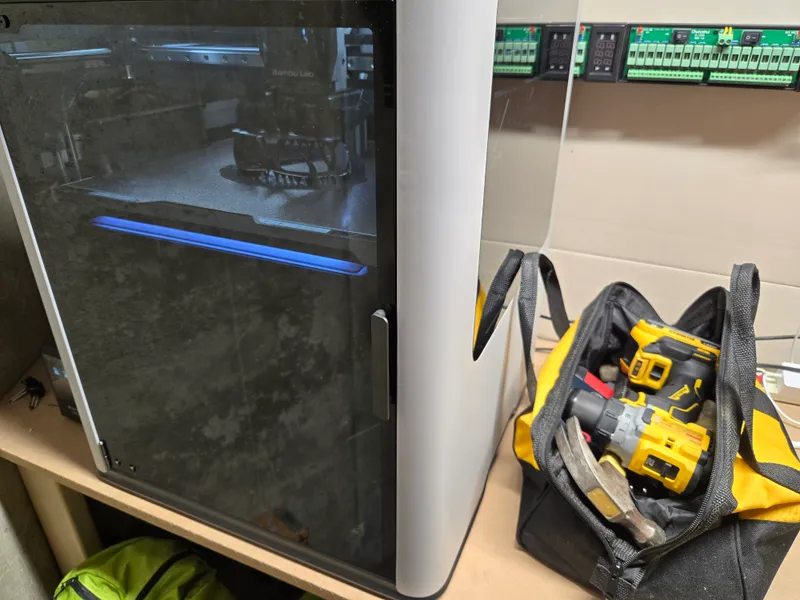
General Impressions
Ease of Use
Starting a print with the H2D is exceptionally easy. In comparison, my older printers required me to go through quite a process: opening a laptop, slicing the model, calibrating, ensuring the nozzle was clean, and leveling the bed correctly. I'd then have to watch the first layer closely, like supervising a toddler near a power outlet. This routine was practically required for every print.
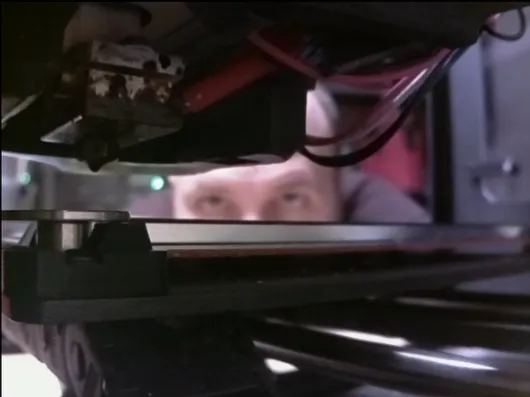
The H2D changes the game with its seamless operation; I can start a print remotely and feel confident it'll usually be done and successful when I check back.
Quiet Operation
While I wouldn't recommend keeping a 3D printer in your main living space, the H2D is remarkably silent. It's quiet enough to print beside without disturbance, even in the middle of the night. My wife doesn't wake up thinking someone's in the basement, which is a testament to its quiet operation.
Cost Considerations
The H2D isn't cheap, and that's worth addressing. Viewed from another angle, though, its built-in features save you money on the add-ons that other printers often need, like mini PCs, cameras, or custom enclosures.
Material Handling
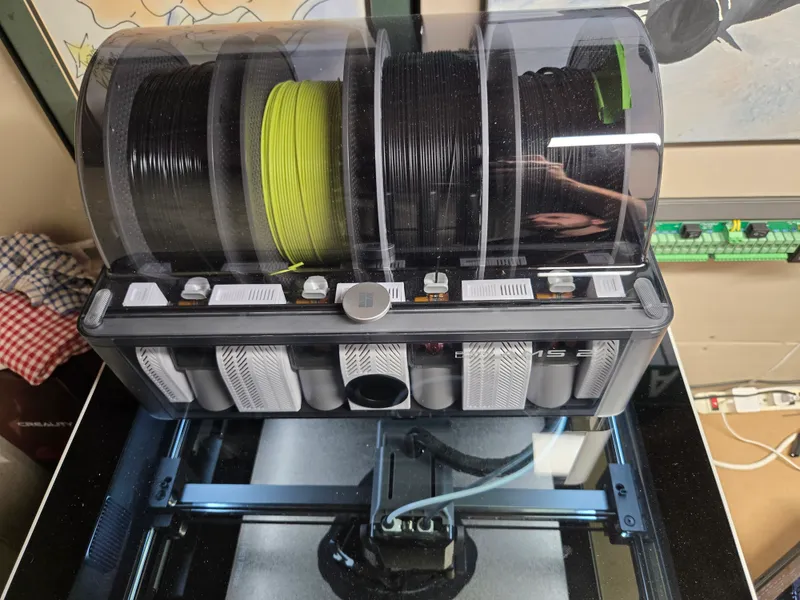
One key factor in successful 3D printing is keeping filament dry. The H2D's automatic material system, featuring a built-in filament dryer, addresses this need efficiently. This system automatically feeds filament into the printer, reducing the need for separate drying solutions.
Nozzle Adjustments
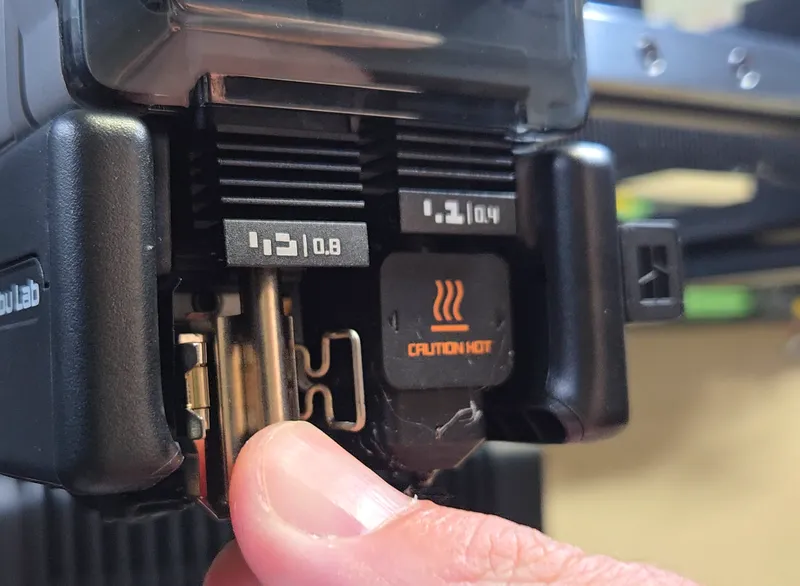
The tool-free and quick nozzle change functionality is a tremendous advantage. Switching nozzles to adapt print speed or quality is now a breeze. Adjusting the nozzle on some older printers could take 30 minutes, but not with the H2D. Streamlining this process saves valuable time, allowing more focus on design rather than printer adjustments.
Dual Nozzles, Less Waste
The H2D's dual-nozzle design is one of its standout features. Instead of a single nozzle that has to purge and swap colors for every change, the H2D feeds two materials through two independent nozzles. For multi-color and multi-material prints, that means noticeably faster changes and far less of the wasted "purge" filament that piles up with single-nozzle systems. If you've ever watched a multi-color print bury itself in a mountain of discarded filament, you'll appreciate how much less the H2D throws away.
Heated Chamber
Many of my more demanding prints come down to temperature control, and the H2D's actively heated chamber makes a real difference here. Keeping the whole build area warm helps materials like ABS, ASA, PC, and nylon print without warping or splitting, even when the printer is sitting in a cold basement. On older open-frame printers, I'd fight curling corners and layer separation; the heated chamber takes most of that fight off the table.
Why Beginners Should Consider the H2D
- Reliable first layers. Understanding the significance of the first layer is crucial. Many printers that claimed automatic precision failed to deliver; the H2D consistently gets it right.
- User-friendly without slicers. Slicers deter beginners due to their complexity. The H2D mitigates this by operating efficiently out of the box without them, although using a slicer remains an option.
- Effortless with proprietary filament. Using Bambu filament maximizes convenience; the printer automatically adjusts settings for reliable results.
Why Pros Should Consider the H2D
- The H2D's enclosure improves the success rates of exotic material prints, especially in challenging environments like cold basements.
- While not novel, the H2D offers dual extruders with high-temperature capacity, this opens up tremendous capability.
- The H2D demands less babysitting, freeing up time for actual projects.
Who Should Skip It
The H2D might not suit everyone.
- For those only printing PLA, the printer is overkill.
- In compact spaces or on tight budgets, smaller or cheaper alternatives may suffice. That said, upgrading a starter printer may end up costing more than investing upfront in the H2D.
Final Thoughts
The Bambu Lab H2D is designed for those who want a reliable machine that lets them focus on creativity rather than maintenance. In day-to-day use it comes about as close to 'press print and walk away' as I've seen, much like an inkjet printer. It isn't perfect, but I've yet to have a failed print, though your mileage may vary.
If you have any questions, please post them in the comments! Thanks for reading!