If you've used AI to help write code or are thinking about trying it, you're not alone. AI-assisted coding can feel like hiring the world's fastest digital bricklayer. It will usually build something; the question is whether it will be what you expected.
Programming vs. Coding: The Architect and the Bricklayer
Think of programming as architecture: designing the blueprint, deciding what you're building, and planning how the pieces fit together. Coding, in this analogy, is the trade work: a bricklayer, plumber, or electrician executing that plan with skill and precision.
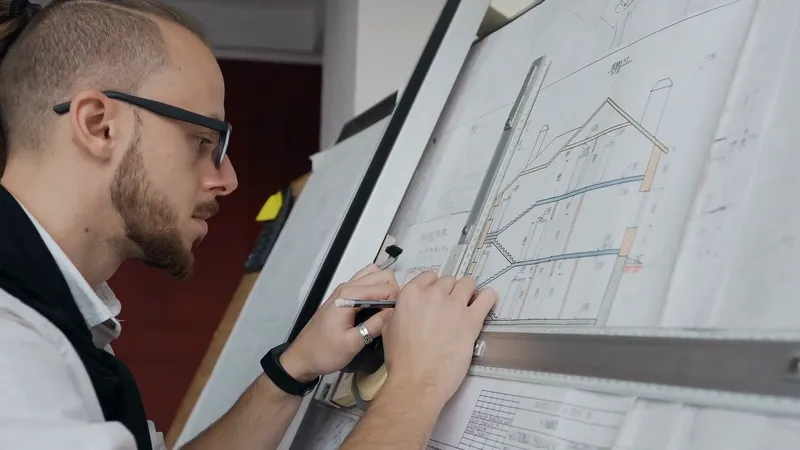

Without a blueprint, the bricklayer doesn't know where to build the wall. If you ask a plumber to install a toilet without a plan, it might end up in the kitchen. Likewise, asking the AI to "add a basement" could get you one with no one checking whether the house above it still stands. The bigger the project, the more important it is to have someone understand the whole design.

When AI Coding Works Best
Not every project needs a full set of blueprints. If you're painting a wall, paint the wall; if the color is wrong, it's easy to redo. That's the spirit of "vibe coding": describe a simple result in everyday language and let the AI generate the code.
For small, low-stakes projects, like toggling a lamp on and off, you can ask for a solution, test it, and try again. Pay attention to what the AI produces; doing so can also help you learn how to plan future projects.

When to Take the Architect's Seat
As soon as a project grows to include multiple features, connections to other systems, or a user interface, plan the foundation and think ahead. Repeatedly asking the AI to "add this" or "change that" can leave behind a tangled codebase that becomes hard for anyone, including you, to maintain. The AI may also change or delete important sections without warning. Without structure, you're building on quicksand.
Key Takeaways: Pros and Cons of AI Coding
Where AI Shines
- Speed: It can accelerate routine work and leave more time for creative or architectural thinking.
- Learning aid: You can learn by watching how it approaches a problem.
- Troubleshooting: It can offer immediate ideas instead of leaving you to wait for forum replies.
- Inspiration: It may suggest approaches you hadn't considered.
Where AI Falls Short
- Complex projects: It is rarely a dependable substitute for deliberate structure in large or multi-layered systems, because it lacks a persistent grasp of the whole design.
- False confidence: A claim that code works does not prove it handles every case correctly.
- Poor readability: Repeated edits can make code difficult for people to understand.
- Skill decay: Overreliance can weaken your ability to reason through problems independently; I've experienced this myself.
Final Thoughts
AI is a powerful tool, but it is still a tool. Use it to learn, prototype, and save time, not to replace understanding. The best results tend to come when you, the architect, guide the AI's bricklaying.

We apply these ideas by adding features to the 3D-printed smart lamp with AI assistance.